PDF OCR that turns documents into data you can check
Extract structured data from PDF pages with space-ocr: declare the fields you need, get every value back with its source coordinates in data.cells, and read data.review.flagged for what to check.
PDFs are where data goes to hide. An invoice, a stack of receipts, a delivery note — the numbers are right there on the page, but getting them into a spreadsheet usually means retyping. PDF OCR promises to fix that: read the document, get structured fields back. The catch is that most tools stop at a plausible guess and leave you to trust it.
space-ocr answers a stricter question. You declare the fields you want, and each value comes back with the region of the page it was read from — a box and a quad under data.cells — alongside data.review.flagged, the list of paths that did not check out. Instead of one score to interpret, you get a work list.
See a real extraction you can check
Hover any field below — the box on the receipt is where that value was read. The values, boxes, and match ratios shown here come from a real parsed result, not a mockup.
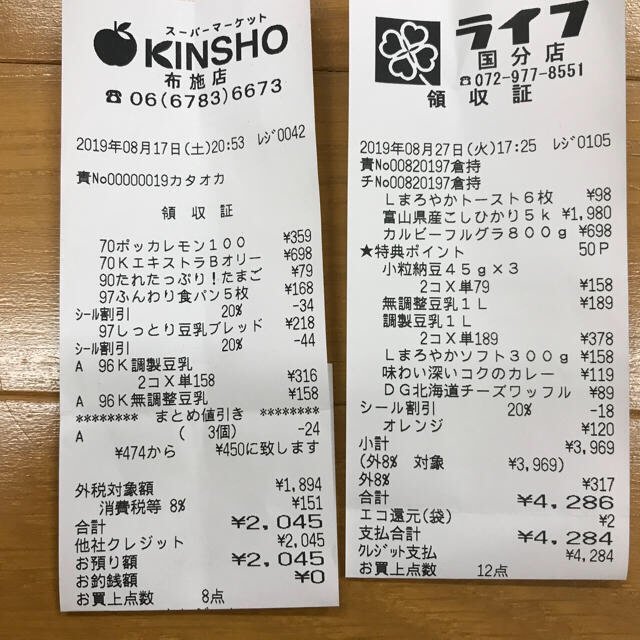
Each value with a box carries a verified on-page location — in data.cells[path], that is box + 4-point quad + evidence.match_ratio — on a 0–1000 normalized grid (0,0 top-left → 1000,1000 bottom-right), the same shape the live API returns. Hover a field to trace it back to the pixels it came from.
How PDF OCR works in space-ocr
Drop a PDF into the web app and each page is rendered to a PNG in your browser, then read and turned into structured fields — a multi-page PDF becomes a set of rows you can sort, filter, and export.
The public API is stricter: it reads raster images, never PDF bytes. POST /upload rejects a PDF outright and tells you to render the pages first, so rasterize them yourself and send the page images. One page is one credit either way.
What a /ocr/fields call returns:
data.values— the business data, in exactly the schema you declared.data.cells[path]—box,quad,verified,review, andevidencefor that path.data.review—declared,returned,boxed,verified, andflagged, the work list.data.normalized— parsed values for declarednumber,integer, anddatefields.data.image— the width and height every coordinate is measured against.
verified is a verdict rather than a character-match result: false whenever the cell carries review reasons, true when a check ran and nothing was flagged, null when there was nothing to check. The character comparison itself sits at evidence.text_match, with evidence.match_ratio beside it as supporting detail.
# the API reads images, not PDF bytes — render the pages first
pdftoppm -r 200 -jpeg invoice.pdf page

curl -s https://api.space-ocr.com/ocr/fields \
  -H "Authorization: Bearer $SPACE_OCR_API_KEY" \
  -H "Content-Type: application/json" \
  -d '{
    "image": "https://example.com/page-1.jpg",
    "imageType": "url",
    "fields": [
      { "name": "invoice_no", "type": "string", "required": true },
      { "name": "issue_date", "type": "date", "required": true },
      { "name": "total", "type": "number", "required": true, "min": 0 },
      { "name": "items", "type": "array", "children": [
        { "name": "description", "type": "string" },
        { "name": "quantity", "type": "number" },
        { "name": "amount", "type": "number" }
      ] }
    ]
  }'
How to OCR a PDF
- Rasterize the pagesIn the web app, drop the PDF and each page is rendered to a PNG in the browser. Calling the API directly, render the pages yourself and send them as url or base64 to POST /ocr/fields, or upload the images to a sheet with POST /upload.
- Declare your fieldsList the fields you want: name and type, plus required, pattern, min/max, enum, label, or near where they apply. Use an array field with children for line-item tables, or send autoFields: true to have a schema proposed.
- Read the structured resultdata.values holds the business data in your schema, data.cells[path] holds box, quad, verified, review, and evidence for each path, and data.normalized holds parsed values for declared number, integer, and date fields.
- Work through review.flaggedIterate data.review.flagged. Each entry is a path and a rank-ordered reasons array, with index 0 as the primary reason. Open data.cells[path], draw its box or quad against data.image, and correct the value beside the region it was read from.
- Export or queryDownload CSV (UTF-8 BOM, line items unfolded), or query a stored sheet with GET /view using where, sort, select, and boxes — that read is free and does not re-run OCR.
Simple, predictable pricing
One credit covers one page, at $0.05 including tax. Every account gets 100 credits a month without a card, and failed scans are never charged. Flat plans add monthly credits, more sheets, and storage.
Can I OCR a PDF with space-ocr?
Does PDF OCR keep the location of each value?
Can it extract tables and line items from a PDF?
How do I know which values to check?
What can I export PDF OCR results to?
How much does PDF OCR cost?
Which languages does it handle?
Turn your own PDFs into checkable data
Free tier — 100 credits a month, no credit card. Every value comes back with its on-page location.