Document OCR with an audit trail
Most OCR hands you text you have to trust. space-ocr returns every value with its source attached: box and quad coordinates under data.cells[path], the evidence behind the match, and data.review.flagged as the list of paths a person should look at.
Extracting data from a document is easy to demo and hard to trust. A model reads an invoice, returns total: 2,045, and you are left with a question no confidence score really answers: is that the number actually printed on the page, or something the model produced? For a one-off lookup that is fine. For accounting, claims processing, compliance, or anything you will be audited on, "trust the model" is not a control.
An audit trail fixes that. Instead of a bare value, every field comes back with a verified on-page location — so a person (or another system) can jump straight to the exact pixels a value was read from and confirm it. That is the difference between an answer and an answer you can defend.
See it: every value traces back to the source
Hover any field below. The box on the receipt is where that value was read from, and each field carries its own review state beside that location.
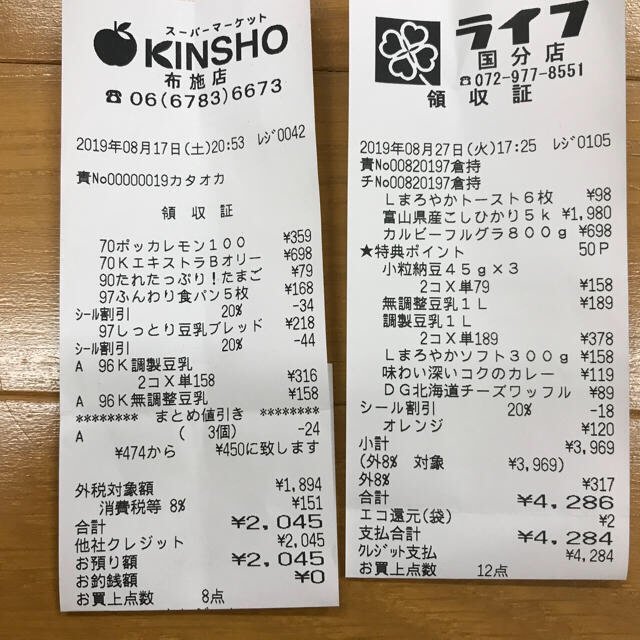
Each value with a box carries a verified on-page location — in data.cells[path], that is box + 4-point quad + evidence.match_ratio — on a 0–1000 normalized grid (0,0 top-left → 1000,1000 bottom-right), the same shape the live API returns. Hover a field to trace it back to the pixels it came from.
What a verified value actually carries
A defensible result is not one number with a score attached. POST /ocr/fields splits the answer into layers you can store, query and cite separately:
data.values— what was read. Your requested schema and nothing else, so it can go straight into a database.data.cells[path].boxand.quad— where it was read.boxis an axis-aligned rectangle{ xmin, ymin, xmax, ymax }on a 0–1000 normalized grid (0,0 = top-left, 1000,1000 = bottom-right);quadis four ordered points that follow the page's tilt, since nothing is deskewed. Paths use one grammar throughout:total,items[0].price.data.cells[path].evidence— what backed it up.text_matchis the character cross-check itself,sourcesays how the coordinates were resolved,match_ratiois the share of the value's characters located on the page (≥ 0.85 counts as a confident match), andprinted_textcarries the glyphs the OCR pass read at those coordinates, for exact-string comparison againstvalues.data.cells[path].verifiedand.review— whether it can be accepted without a person.verifiedis a verdict rather than a character score:falsewheneverreviewcarries any reason,truewhen a check ran and nothing was flagged,nullwhen nothing was flagged but there was nothing to check — a row union carries geometry only.review.reasonsis always an array, ranked, with index 0 as the primary reason.data.review.flagged— the work list. Each entry is a{ path, reasons }pair, and the number of things to look at isflagged.length.data.normalized— the printed reading kept apart from the computable value. It appears only where a scalar type (or apattern/enumstring) was declared, and parses the same reading into that type without touchingvalues.
Because the location and its evidence travel with the value, the result is not a black box. You can draw the box, cite the path and its coordinates, or re-check a flagged field without re-running OCR.
The coordinates aren't taken on the model's word. The language model returns each value's text — and a hint of which word tokens it used — but never the boxes themselves. The engine then character-matches that text against the symbols the vision OCR actually detected on the page, so a box lands on the real pixels those characters were found at, and each value gets a match ratio: the share of its characters that were actually located. The model's token hints can be noisy — it sometimes swaps them between repeated rows — so column- and row-consistency checks validate them instead of trusting them blindly. The point isn't that the AI can't be wrong; it's that a value that disagrees with the page is surfaced for review instead of passing quietly. Where there was nothing to compare against — a row union carries geometry only — the cell reports verified: null rather than claiming a pass.
Click a value, land on the pixels
In the app this becomes an interaction: click any cell and the source image highlights the exact box the value came from, with a zoomed crop and a connecting line. It is the fastest way to spot-check a batch — your eye goes straight to the spot instead of scanning the whole document.
Corrections are auditable too
An audit trail is not only about the machine's output — it is about what humans changed. When you edit a cell, space-ocr stores your correction separately from the original OCR value. An Original tooltip always shows what the engine first read, so a reviewer can see both the machine value and the human override side by side.
It's in the API, on every value
This isn't a UI-only feature. POST /ocr/fields returns data.cells, a flat map keyed by path — total, items[0].price — where every entry carries box, quad, verified, review and evidence. data.review.flagged[].path uses the same grammar, so a flagged item is a direct lookup into its own coordinates. When you query a stored sheet with GET /view, that map rides along by default — boxes=0 drops only the row's cells map, while values, review and image still come back.
{
  "status": "success",
  "data": {
    "values": {
      "total": "2,045",
      "items": [
        { "qty": "2", "price": "780" }
      ]
    },
    "cells": {
      "total": {
        "box": { "xmin": 595, "ymin": 974, "xmax": 781, "ymax": 1000 },
        "quad": [
          { "x": 594, "y": 975 }, { "x": 781, "y": 972 },
          { "x": 781, "y": 998 }, { "x": 595, "y": 1000 }
        ],
        "verified": true,
        "review": null,
        "evidence": {
          "text_match": true,
          "source": "vision_symbol_match",
          "match_ratio": 1.0,
          "printed_text": "2,045"
        }
      },
      "items[0].price": {
        "box": { "xmin": 693, "ymin": 640, "xmax": 781, "ymax": 668 },
        "quad": [
          { "x": 693, "y": 641 }, { "x": 781, "y": 640 },
          { "x": 781, "y": 667 }, { "x": 693, "y": 668 }
        ],
        "verified": false,
        "review": { "reasons": ["text_mismatch"] },
        "evidence": {
          "text_match": false,
          "source": "vision_symbol_match",
          "match_ratio": 0.67,
          "printed_text": "180"
        }
      }
    },
    "review": {
      "unit": "field",
      "flagged": [
        { "path": "items[0].price", "reasons": ["text_mismatch"] }
      ],
      "by_reason": { "text_mismatch": 1 }
    },
    "normalized": { "total": 2045 },
    "image": { "width": 1654, "height": 2339 }
  }
}
evidence.source tells you how each coordinate was resolved — vision_symbol_match is the usual character-match path, carrying its match_ratio, and token_id means a word-token hint was used. It is metadata you can log, filter on, or show a reviewer. A weak match doesn't hide in that key: it surfaces in review.reasons as a code such as low_ratio, weak_source or low_ocr_confidence, and the same path stands in data.review.flagged. The reason codes are contract vocabulary — branch on the code, and keep a generic message for any you don't recognize yet.
How to verify a value in practice
- Open the extracted resultOpen the sheet or call GET /view — every value is addressed by a path, and data.cells[path] carries its box, quad, review and evidence.
- Click the valueClick the cell to highlight the exact region on the original image it was read from.
- Read the evidence and the review listA match_ratio of 1.0 means every character was located, and 0.85 or above counts as a confident match. Anything the engine could not settle stands in data.review.flagged with its reasons, such as low_ratio or text_mismatch.
- Correct if neededEdit the cell to override it — the original OCR value is preserved under the Original tooltip for the audit trail.
What is an OCR audit trail?
Can the AI just make up the bounding boxes?
Are coordinates returned in pixels?
Does verification cost extra or re-run OCR?
Try it on your own document
Free tier — 100 credits a month, no credit card. Every value comes back with its on-page location.