Invoice & Delivery Note OCR to CSV — A Developer's Guide to the Invoice Data Extraction API
A developer's guide to ending manual invoice and delivery-note entry and broken Excel imports. Declare the fields you want, POST an image to /ocr/fields, and get the vendor, date, total, and line items back as structured data — each value carrying box and quad source coordinates plus a review list of the ones worth checking. Includes curl and Python, CSV export, webhooks, and pricing.
Are you still typing invoices and delivery notes into Excel by hand? The date, the vendor, the pre-tax and tax-included totals, and every single line item — at month's end you stare down a stack of paper and copy the numbers one cell at a time. Somewhere along the way a digit slips, the total doesn't add up, and you start the reconciliation all over again. That's the time we want to give back to you.
You try to copy text out of a scanned PDF and you can't even select it. You run it through OCR and the line items collapse into a single cell, line breaks and columns gone. You open the CSV in Excel and the text is mojibake — garbled — so you can't read the product names. All you wanted was to import it into your accounting software, and you trip at the last step every time. Anyone who works with documents knows this story.
This article is a developer's guide to replacing all of that with a single API call. POST an invoice or delivery-note image to POST /ocr/fields and you get back the vendor, date, total, and each line of the detail table as typed, structured data. Better still, every value that comes back carries the coordinates (box and quad) of exactly where on the source image it was read from, so you don't have to take the extraction on faith — you can check it against the original. We'll walk through the whole path, from the shortest route to a production setup, with curl and Python along the way.
Try it first — no upload, 10 seconds to see it work
Before you write any code, look at the actual output. Below is the result of parsing a real receipt. Hover over a field and it highlights where on the image that value was read from. Invoices and delivery notes behave exactly the same way — every extracted value is tied back to the pixels it came from, and anything that did not check out is listed for review in data.review.flagged.
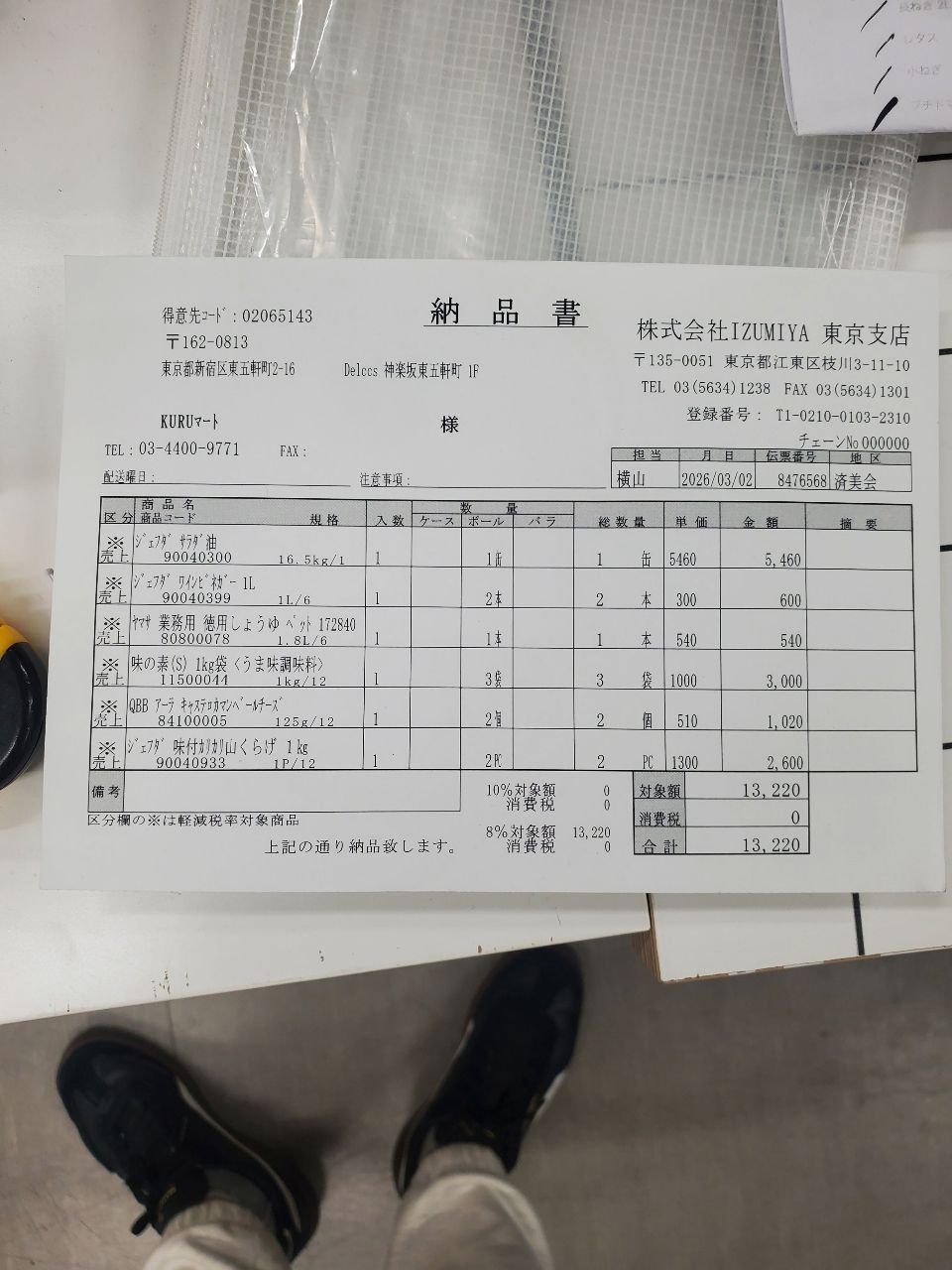
Each value with a box carries a verified on-page location — in data.cells[path], that is box + 4-point quad + evidence.match_ratio — on a 0–1000 normalized grid (0,0 top-left → 1000,1000 bottom-right), the same shape the live API returns. Hover a field to trace it back to the pixels it came from.
The flow: source image → extracted sheet → highlighted location → CSV export
At its core, using space ocr comes down to four steps. (1) Send the image of a receipt, invoice, or delivery note → (2) it's extracted into a sheet with fixed columns, one document per row → (3) click a value and the matching spot on the source image lights up so you can verify against the original → (4) export to CSV and import it straight into your accounting software. Let's start with dropping in a single document and watching the fields fill in.
Authentication and base URL
The public API has exactly one base: https://api.space-ocr.com — there's no path versioning like /v1. Each request authenticates with an HTTP Bearer token using a key that starts with spocr_.
Authorization: Bearer spocr_xxxxxxxxxxxxxxxxA missing header or an invalid key returns 401 (error.code: "invalid_api_key"). 403 is not an authentication failure — it means you touched a resource outside that key's scope, such as a job another key created. Every response carries an X-Request-Id header (formatted req_xxx), so it's worth logging it for support requests. If you want to generate a client automatically, the OpenAPI spec is published at GET /openapi.json.
The shortest path — declare the fields you want
Pass the fields you want as an array of FieldSpecs in fields: vendor, invoice date, document number, and total for an invoice; delivery date, item name, quantity, and unit price for a delivery note. Each name becomes the key in the response JSON, so you can transcribe your own table definition straight into the request. For a form you have never seen, autoFields: true lets the model propose the schema instead. The image goes in as a URL or as pure base64, and imageType says which one it is.
A declaration does not change the extraction. type (number / integer / date), pattern, min / max, and required are never shown to the model, so values comes back the same either way. What a declaration produces is two things: the data.normalized layer, where the same reading is parsed into that type, and the review reasons raised on whatever broke a rule (type_mismatch, out_of_range, pattern_mismatch, missing). For repeating rows, don't count the rows — declare the shape of one with type: "array" and children. How many come back is up to the page, and each child's coordinates are resolved within its own row, so a "quantity" or "amount" heading repeated on every row is never confused across rows.
curl -X POST https://api.space-ocr.com/ocr/fields \
  -H "Authorization: Bearer spocr_xxxxxxxxxxxxxxxx" \
  -H "Content-Type: application/json" \
  -d '{
    "image": "https://example.com/docs/delivery-0831.jpg",
    "imageType": "url",
    "fields": [
      { "name": "customer", "type": "string",
        "description": "Customer (addressee) company name",
        "near": ["御中", "様"],
        "not_near": ["登録番号", "TEL", "〒"] },
      { "name": "delivery_no", "type": "string", "required": true,
        "pattern": "^[A-Z]{2}-[0-9]{4,8}$",
        "description": "Delivery-note number" },
      { "name": "delivery_date", "type": "date",
        "label": "納品日", "description": "Delivery date" },
      { "name": "items", "type": "array",
        "description": "One element per line item",
        "children": [
          { "name": "name",       "type": "string" },
          { "name": "qty",        "type": "integer" },
          { "name": "unit_price", "type": "number" },
          { "name": "amount",     "type": "number" }
        ] },
      { "name": "total", "type": "number", "required": true,
        "label": "合計", "description": "Total amount" }
    ]
}'The camelCase names are the canonical body parameters. Use imageType and autoFields. The legacy snake_case forms (image_type / auto_fields) still work but are deprecated. imageType is required and must say "url" or "base64" explicitly — it is never inferred from the shape of the value. Property names inside fields (required, label, pattern, near, not_near, …) belong to the schema, so write them exactly as the FieldSpec table in the API docs lists them.
The shape of the response — every value comes with its source
On success you get back { status: "success", data: { ... } }. data is split into layers so business data and verification never mix.
data.values— pure business data in exactly the schema you declared. No reserved keys are mixed in, so it can be stored as-is.data.cells— a flat, path-keyed coordinate and verification map. Look up a path such astotaloritems[0].amountand you get that value'sbox(an axis-aligned{ xmin, ymin, xmax, ymax }),quad(four points that follow the document's tilt),verified(the verdict),review(the reasons), andevidence(the cross-check record). Coordinates are integers normalized to 0–1000, and the frame for converting them isdata.image, not the file you sent:pixel_x = box.xmin / 1000 × data.image.width.data.review— the per-document tally plusflagged, the work list of values worth checking. It's an array of{ path, reasons }, andpathuses the same grammar as thecellskeys, so it's a direct lookup. The count isflagged.length.data.normalized— present only when you declared a scalar type, apattern, or anenum. It's a tree shaped exactly likevalues, with the leaves parsed into that type.data.image— thewidthandheightin pixels of the page as it was actually read, after EXIF orientation is applied. Draw outlines against this, not against the file you uploaded.
The evidence entries — text_match (did the character cross-check pass) and match_ratio (how much of the value was found on the page) — are supporting evidence behind the verdict. Rather than picking your own threshold and scanning every field, take review.flagged as the work list.
{
  "status": "success",
  "data": {
    "values": {
      "customer": "株式会社サンプル商事",
      "delivery_no": "DN-100482",
      "delivery_date": "令和8年8月31日",
      "items": [
        { "name": "A4 copy paper", "qty": "5", "unit_price": "480", "amount": "2,400" }
      ],
      "total": "2,400"
    },
    "cells": {
      "customer":      { "box": { "xmin": 62, "ymin": 118, "xmax": 384, "ymax": 152 },
                         "quad": [{"x":62,"y":118},{"x":384,"y":118},{"x":384,"y":152},{"x":62,"y":152}],
                         "verified": false,
                         "review": { "reasons": ["near_conflict"] },
                         "evidence": { "text_match": true, "source": "vision_symbol_match",
                                       "match_ratio": 1.0,
                                       "not_near": { "matched": "登録番号", "distance": 0.4 } } },
      "delivery_date": { "box": { "xmin": 612, "ymin": 96, "xmax": 812, "ymax": 124 },
                         "quad": [{"x":612,"y":96},{"x":812,"y":96},{"x":812,"y":124},{"x":612,"y":124}],
                         "verified": true, "review": null,
                         "evidence": { "text_match": true, "source": "vision_symbol_match", "match_ratio": 1.0 },
                         "normalized": { "value": "2026-08-31", "type": "date", "method": "deterministic" } },
      "items[0].qty":  { "box": { "xmin": 512, "ymin": 470, "xmax": 536, "ymax": 496 },
                         "quad": [{"x":512,"y":470},{"x":536,"y":470},{"x":536,"y":496},{"x":512,"y":496}],
                         "verified": true, "review": null,
                         "evidence": { "text_match": true, "source": "token_id", "match_ratio": 1.0 },
                         "normalized": { "value": 5, "type": "integer", "method": "deterministic" } },
      "total":         { "box": { "xmin": 595, "ymin": 974, "xmax": 781, "ymax": 1000 },
                         "quad": [{"x":594,"y":975},{"x":781,"y":972},{"x":781,"y":998},{"x":595,"y":1000}],
                         "verified": true, "review": null,
                         "evidence": { "text_match": true, "source": "vision_symbol_match", "match_ratio": 0.93 },
                         "normalized": { "value": 2400, "type": "number", "method": "deterministic" } }
    },
    "review": {
      "unit": "field",
      "declared": 8,
      "returned": 8,
      "boxed": 8,
      "verified": 7,
      "flagged": [
        { "path": "customer", "reasons": ["near_conflict"] }
      ],
      "by_reason": { "near_conflict": 1 }
    },
    "normalized": {
      "delivery_date": "2026-08-31",
      "items": [ { "qty": 5, "unit_price": 480, "amount": 2400 } ],
      "total": 2400
    },
    "image": { "width": 1654, "height": 2339 }
  }
}The coordinates aren't taken on the AI's word. All the language model returns is the text of each value — never the coordinates themselves. The engine matches that text character-by-character against the symbols the OCR pass actually detected on the page, so the rectangle lands on the very pixels where those characters were found. Whether the cross-check passed is recorded in evidence.text_match, and how much of the value matched in evidence.match_ratio. The cell's verified sits above those as the verdict, mirroring review: false as soon as any reason is raised, true when nothing is raised and a check did run, null when there was nothing to check (a row union, for instance). That makes verified: false with text_match: true a normal combination, not a contradiction — the characters agreed, and a rule you declared caught something else. Two engines can still agree on the same misread, so source verification and your own business rules (required, pattern, enum, near) are two complementary layers; production runs both. For details, see how bounding boxes make OCR auditable.
The addressee and the issuer sit on the same page
The most awkward error on a Japanese invoice or delivery note is not a misread character. It's the one where the characters are read perfectly and the value is taken from the wrong place. One sheet prints two company names — the addressee and the issuer — and picking the wrong one still passes the character cross-check, arriving as verified: true. Handing your vendor master to enum doesn't separate them either, because both are legitimate registered names.
near and not_near are the declarations that reach this layer. On the addressee company name, declare the vocabulary that should be printed beside the value — near: ["御中", "様"] — and the vocabulary that must not be — not_near: ["登録番号", "TEL", "〒"]. If no occurrence of the value sits near a near term, near_mismatch is raised; if one does but the coordinates landed on a different copy, near_ambiguous; if the value sits beside a term from the issuer block, near_conflict. The arithmetic behind each verdict rides in cells[path].evidence.near and evidence.not_near.
When none of the declared near terms is printed anywhere on the page, the check abstains and says so in review.notes as issue: "near_unresolved" — an office form that never prints 御中 must not be punished for it. Those are exactly the forms where parties get swapped, which is why not_near is the one that reaches them. Where a term may sit inside a printed word is set by match: the default boundary, plus suffix (御中, 様), prefix (〒, TEL), standalone, and anywhere — that's what keeps the 様 inside a job name like 中野様邸増築工事 from witnessing an addressee check. Neither declaration is shown to the model, so the extracted value is unchanged. This does not make the right pick; it makes a wrong pick visible.
import requests, base64, csv

with open("delivery.jpg", "rb") as f:
    b64 = base64.b64encode(f.read()).decode()

resp = requests.post(
    "https://api.space-ocr.com/ocr/fields",
    headers={"Authorization": "Bearer spocr_xxxxxxxxxxxxxxxx"},
    json={
        "image": b64,
        "imageType": "base64",
        "fields": [
            {"name": "customer", "type": "string",
             "description": "Customer (addressee) company name",
             "near": ["御中", "様"],
             "not_near": ["登録番号", "TEL", "〒"]},
            {"name": "delivery_no", "type": "string", "required": True,
             "pattern": "^[A-Z]{2}-[0-9]{4,8}$",
             "description": "Delivery-note number"},
            {"name": "delivery_date", "type": "date",
             "label": "納品日", "description": "Delivery date"},
            {"name": "items", "type": "array",
             "description": "One element per line item",
             "children": [
                 {"name": "name", "type": "string", "description": "Item name"},
                 {"name": "qty", "type": "integer", "description": "Quantity"},
                 {"name": "unit_price", "type": "number", "description": "Unit price"},
                 {"name": "amount", "type": "number", "description": "Amount"},
             ]},
            {"name": "total", "type": "number", "required": True,
             "label": "合計", "description": "Total amount"},
        ],
    },
    timeout=200,  # sync processing is capped at 180 seconds
)

data = resp.json()["data"]
values = data["values"]
norm_items = data.get("normalized", {}).get("items", [])

# Take the review queue first. The count is the length of flagged
for flag in data["review"]["flagged"]:
    cell = data["cells"].get(flag["path"])
    print(flag["path"], flag["reasons"], cell["box"] if cell else None)

# Line items to CSV: printed columns from values, arithmetic column from normalized
with open("delivery.csv", "w", encoding="utf-8-sig", newline="") as out:
    w = csv.writer(out)
    w.writerow(["item", "qty", "unit_price", "amount", "amount_number"])
    for i, row in enumerate(values.get("items", [])):
        n = norm_items[i] if i < len(norm_items) else {}
        w.writerow([row["name"], row["qty"], row["unit_price"],
row["amount"], n.get("amount")])values is the model's reading of the page, not a byte-for-byte copy. The character cross-check folds full-width forms, brackets, and whitespace before comparing, so a re-spelling like (税抜) → (税抜) passes. For exact string matching, use cells[path].evidence.printed_text — what the OCR pass read at those coordinates. To treat something as a number or a date, don't rewrite values: declare a type and read data.normalized ("令和8年8月31日" → "2026-08-31", "2,400" → 2400). Parsing is deterministic, with no extra model call. A leaf that would not parse comes back null there, with the reason in cells[path].normalized.error. In a CSV, that's the split worth keeping: display columns from values, arithmetic columns from normalized.
The reverse also matters. Declaring a type on a field where a non-value is legitimately printed — 一式 in a quantity column, 翌月末払い as a due date — puts a perfectly correct document in the review list as type_mismatch on every run, so declare types only where a number or a date always appears. As a defense against CSV mojibake, write CSVs you open in Excel with a UTF-8 BOM (utf-8-sig). Values carry characters like the half-width ¥ (U+00A5) as-is, so keep them UTF-8 rather than encoding to cp932 / Shift_JIS. And the key to stopping line items from collapsing into one cell is type: "array" + children, which expands one line item into one row.
Click a value and jump to where it came from
Once values have accumulated in a sheet, clicking one lights up the matching spot on the source image. This is the fastest way to spot-check a batch — instead of scanning the whole document, your eye jumps straight to the right place. You don't have to compare every field: open the ones data.review.flagged raised — characters that didn't agree, a declared rule that was broken, a required value that never came back — and the coordinates in cells[path] point straight at the spot to check.
At scale, asynchronously — batch upload, jobs, and webhooks
POST /ocr/fields is synchronous, ideal for the one-document case you put inside a request/response loop. To process a whole folder of invoices and delivery notes, send them to a sheet with POST /upload (repeating the multipart files). By default it returns a job array immediately.
{ "path": "...", "jobs": [ { "uniqueKey": "...", "jobId": "...", "status": "pending" } ] }There are two ways to collect the results: poll GET /jobs/{jobId}, or register a webhook. Webhooks are one URL per space, and every event is HMAC-SHA256 signed in the X-Spaceocr-Signature header. The events worth watching are upload.received, item.created, ocr.completed (with the extraction in data.result), and ocr.failed. Always verify the signature before trusting a payload.
Idempotency, request tracing, and rate limits
A few headers make it safe to retry your production pipeline.
| Header | Role |
|---|---|
Idempotency-Key | On /ocr/fields, /create, and /upload, re-sending the same key replays a cached response for 24 hours (X-Idempotent-Replay: true) — retry safely without double-billing. |
X-Request-Id | Attached to every response (req_xxx). Log it for support. |
X-RateLimit-Remaining | Calls left in the current minute. |
Rate limits are 60 requests/min per key and 600 requests/min per uid. Exceeding them returns 429 with error.code: "rate_limited", and the number of seconds to wait comes back in the Retry-After header.
{
  "error": {
    "code": "rate_limited",
    "message": "Rate limit exceeded",
    "requestId": "req_8fa2c1"
  }
}
From extraction to a queryable sheet
Once you've extracted invoices into a sheet, you don't need to re-run OCR to read them back. GET /view runs server-side queries — where, sort, select, limit, offset — over the stored rows, with no re-OCR and no charge. Coordinates come back by default; add boxes=0 only when you want a lighter response. For example, where=total>=40000 for just the high-value invoices, or sort=-invoice_date for newest first. From there you can export to CSV (with a UTF-8 BOM, so Excel and CJK open cleanly) and use it to import into your accounting software — see turn scanned documents into CSV and convert receipts to CSV for more. The full spec for every endpoint is in the API docs.
Convert PDF pages to images before sending. The OCR engine analyzes raster images directly (JPEG, PNG, GIF, BMP, TIFF, WebP). If you call the API directly, render each PDF page to PNG (or similar) before sending it (if you drop it into the web app, the app rasterizes the pages for you, so you can send the PDF as-is). Integration with freee, Money Forward (マネーフォワード), Yayoi (弥生), and kintone is not via an official API integration — the assumption is that you import the exported CSV. And whether the service meets the requirements of the Invoice System (インボイス制度) or the Electronic Bookkeeping Act (電子帳簿保存法) is something to confirm against each company's operations and requirements (this service does not guarantee compliance with legal requirements).
Pricing
POST /ocr/fields is $0.05 per call (tax included), and POST /upload is $0.05 × N pages. Failed scans are never charged — a 400 invalid_image and a 504 over the sync ceiling aren't billed at all, and 502 engine errors and ocr.failed events are refunded automatically. Read-only endpoints (GET /space, /view, /amount, /health) are free. The free tier is 100 credits per month with no credit card required, and Pro is $39/month. The full plan list is on the pricing page.
How to extract invoices and delivery notes with the API
- Get an API keyLog in and issue an API key that starts with spocr_, then attach Authorization: Bearer spocr_... to every request. The base URL is https://api.space-ocr.com.
- Prepare the image (rasterize PDF pages)Have your invoice or delivery note ready as a raster image such as JPEG or PNG. If you call the API directly, render each PDF page to PNG before sending (the web app rasterizes pages for you if you drop a PDF in). Pass the image as a URL or pure base64, and set imageType to url or base64 accordingly.
- Call POST /ocr/fieldsDeclare the fields you want in fields[] as FieldSpecs ({name, type, description, required, label, pattern, near, not_near, children}). For line items, don't count rows — declare the shape of one with type:"array" + children and let the page decide how many come back. For a form you have never seen, autoFields: true can propose the schema instead.
- Verify the responseOpen data.review.flagged as your work list of {path, reasons}, then look up data.cells[path] for that path to see the box and quad coordinates and the evidence (text_match, match_ratio). Fields with a declared type also come back parsed in data.normalized, and a leaf that would not parse carries its reason in cells[path].normalized.error.
- Export to CSV for your accounting toolWrite the results to a CSV with a UTF-8 BOM (line items expand into array rows) and feed it into the CSV import of freee, Money Forward, Yayoi, and the like. Once data is stored, you can query it with GET /view — no re-OCR, no charge.
Does the invoice and delivery-note OCR API support Japanese?
Does it work with PDF invoices and delivery notes?
Can I import the extracted data into freee, Money Forward, or Yayoi?
How is extraction accuracy guaranteed? Can I trust the results?
How is personal data handled, and what happens to billing when extraction fails?
Extract your first invoice in a single call
Free tier — 100 pages per month, no credit card required. Every value comes back with the coordinates of where it was read from on the source image.