An API for extracting data from invoices
A developer guide to space-ocr's API for extracting data from invoices: POST /ocr/fields with curl and Python, a declared fields[] schema or autoFields, and source coordinates with an explicit review contract.
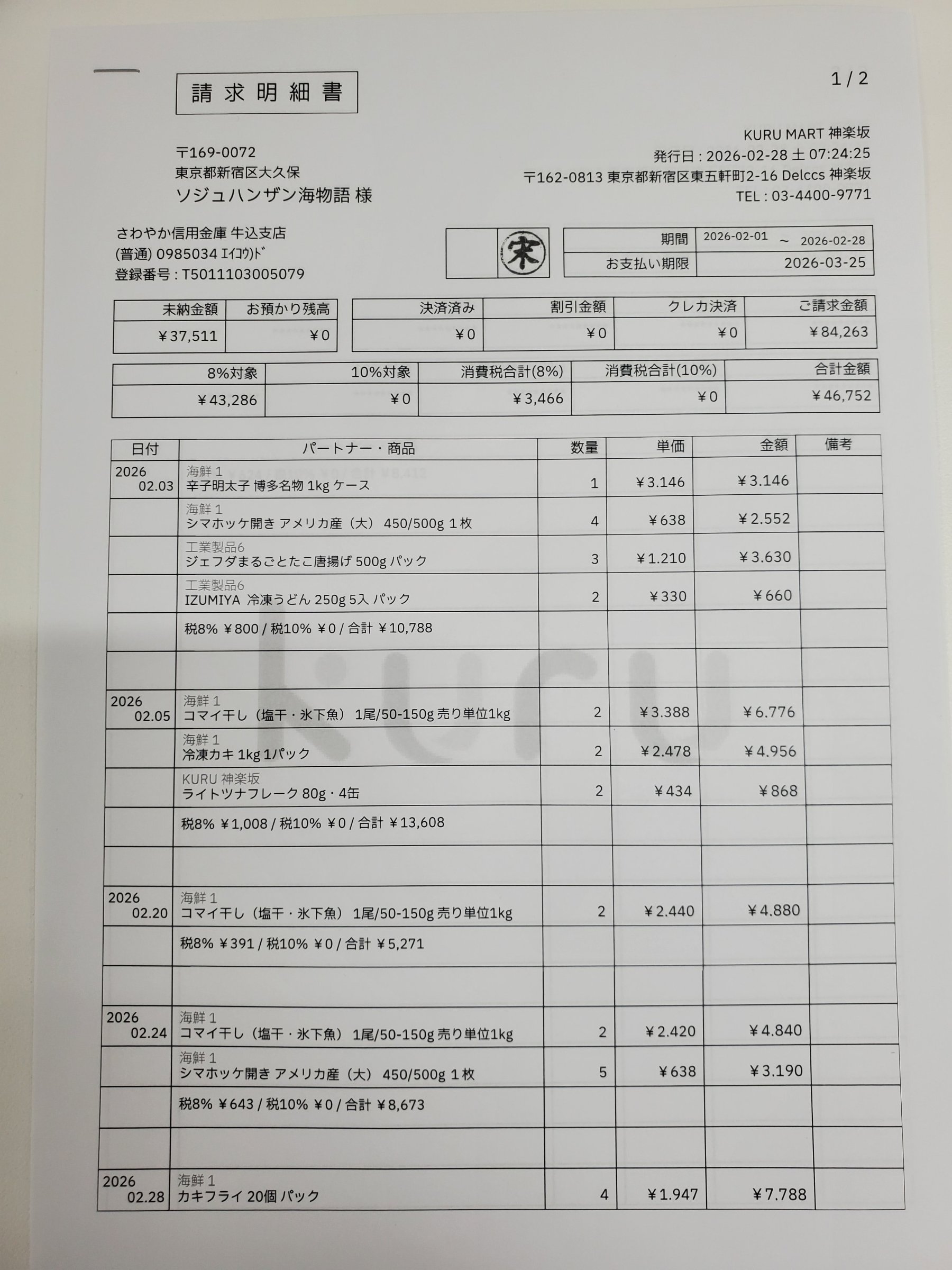
Pulling structured data off an invoice — vendor, invoice number, date, line totals, tax — is one of the most common document-automation jobs there is, and one of the most tedious to build by hand. Regex over OCR text breaks the moment a vendor changes their layout. Template-matching tools want you to draw boxes for every supplier. What you actually want is an API for extracting data from invoices that reads any layout, returns clean named fields, and — crucially — tells you where on the page each value came from so you can trust the result.
That last part is the whole game. An invoice extraction endpoint that hands back total: 2,045 with no provenance is a liability in an accounts-payable pipeline. This guide walks through space-ocr's POST /ocr/fields endpoint: a single synchronous call that takes one invoice image, applies the field schema you declare (or lets autoFields propose one), and returns every value with source coordinates and an explicit review verdict.
See the output before you write a line of code
Below is a real parsed receipt. Hover any field and the box on the image lights up — that box is exactly where the value was read from, and each value carries its own verification verdict and supporting evidence. Invoices behave the same way: every field you extract lands back on the pixels it came from.
Each value with a box carries a verified on-page location — in data.cells[path], that is box + 4-point quad + evidence.match_ratio — on a 0–1000 normalized grid (0,0 top-left → 1000,1000 bottom-right), the same shape the live API returns. Hover a field to trace it back to the pixels it came from.
Authentication and base URL
The public API lives at a single base — https://api.space-ocr.com — with no /v1 path versioning. Every request authenticates with an HTTP Bearer token whose key is prefixed spocr_:
Authorization: Bearer spocr_xxxxxxxxxxxxxxxxA missing or invalid key returns 401 with error.code: "invalid_api_key". 403 means something else entirely: the key is valid, but the resource sits outside its scope — a job created by another key, for example. Every response carries an X-Request-Id header (format req_xxx) you should log for support traces. The full spec is published as OpenAPI 3.1 at GET /openapi.json if you'd rather generate a client.
The simplest call: an explicit invoice schema
The fastest path is to name the fields you want. fields takes an array of FieldSpec objects, and the response comes back shaped exactly like that declaration — no template to pick, no boxes to draw. imageType is required and says how image is carried: "url" or "base64".
Declaring a scalar type does more than document intent. invoice_date as "date" and the money fields as "number" add a deterministic data.normalized layer beside the raw reading. required: true on invoice_no means an empty or absent value comes back on the review list instead of passing quietly as an empty string. The pattern is your own numbering convention — matching is partial, as in JSON Schema, so anchor it with ^…$ to check the whole value.
If you don't know the schema yet, send autoFields: true with no fields at all and the model proposes one from the document itself. That is the right way to explore an unfamiliar supplier form; once the field names settle, move them into an explicit fields array so the response shape stops moving between calls.
curl -X POST https://api.space-ocr.com/ocr/fields \
  -H "Authorization: Bearer spocr_xxxxxxxxxxxxxxxx" \
  -H "Content-Type: application/json" \
  -d '{
    "image": "https://example.com/invoices/inv-4471.jpg",
    "imageType": "url",
    "fields": [
      { "name": "vendor", "type": "string" },
      { "name": "invoice_no", "type": "string", "required": true,
        "pattern": "^[A-Z0-9-]+$" },
      { "name": "invoice_date", "type": "date" },
      { "name": "subtotal", "type": "number" },
      { "name": "tax", "type": "number" },
      { "name": "total", "type": "number" },
      { "name": "line_items", "type": "array",
        "children": [
          { "name": "description", "type": "string" },
          { "name": "qty", "type": "number" },
          { "name": "unit_price", "type": "number" }
        ]
      }
    ]
}'Camel-case is the canonical form. Parameters are imageType and autoFields. The legacy snake_case aliases (image_type, auto_fields) still work but are deprecated — prefer the camel-case names in new code.
The response shape
A successful call returns { status: "success", data: { ... } }. The data splits into four parts, and each has exactly one job:
data.values— the business data, shaped exactly like thefieldsyou declared. Nothing else lives here.data.cells— a flat map keyed by path (total,line_items[0].unit_price). Each cell carries abox{ xmin, ymin, xmax, ymax }on a 0–1000 normalized grid (0,0 = top-left, 1000,1000 = bottom-right), aquadof four ordered points that follows the page's tilt so a skewed phone photo still boxes cleanly, and thenverified,reviewandevidence. Convert to pixels againstdata.image:pixel_x = box.xmin / 1000 × data.image.width.data.review— the summary:unit: "field", thedeclared/returned/boxed/verifiedcounts,flagged(an array of{ path, reasons }) and aby_reasonhistogram. The number of items needing attention isflagged.length; there is no separate counter, andby_reasoncounts every reason rather than one per item, so its total can be larger.data.normalized— a sparse tree shaped likevalues, holding the deterministic parse of the fields you gave a scalar type or a pattern.valuesis never overwritten.
verified is a verdict, not a character score: false whenever the cell carries review reasons of any kind, true when a check ran and nothing was flagged, null when there was nothing to check — a row union, for instance. The character cross-check itself is evidence.text_match, which is why verified: false together with text_match: true is a normal combination: the glyphs agreed and a rule you declared caught the value anyway. evidence also carries source (vision_symbol_match, token_id and others), match_ratio, and printed_text — the glyphs the OCR pass read at those coordinates, which is what you compare against when you need an exact string match.
Reason codes are contract vocabulary and are never translated: text_mismatch, missing, pattern_mismatch, type_mismatch, out_of_range, low_ratio, overwide_box and the rest. reasons is always an array, ranked so index 0 is the primary one — map the codes you handle and fall back to a generic message for anything new.
{
  "status": "success",
  "data": {
    "values": {
      "vendor": "Acme Supply Co.",
      "invoice_no": "INV-4471",
      "invoice_date": "2026/06/18",
      "subtotal": "1,859",
      "tax": "186",
      "total": "2,045",
      "line_items": [
        { "description": "Steel bracket 40mm", "qty": "12", "unit_price": "98" }
      ]
    },
    "cells": {
      "total": {
        "box": { "xmin": 595, "ymin": 974, "xmax": 781, "ymax": 1000 },
        "quad": [
          { "x": 594, "y": 975 }, { "x": 781, "y": 972 },
          { "x": 781, "y": 998 }, { "x": 595, "y": 1000 }
        ],
        "verified": true,
        "review": null,
        "evidence": {
          "text_match": true,
          "source": "vision_symbol_match",
          "match_ratio": 0.93,
          "printed_text": "2,045"
        },
        "normalized": { "value": 2045, "type": "number", "method": "deterministic" }
      },
      "line_items[0].unit_price": {
        "box": { "xmin": 693, "ymin": 460, "xmax": 738, "ymax": 488 },
        "quad": [
          { "x": 693, "y": 460 }, { "x": 738, "y": 460 },
          { "x": 738, "y": 488 }, { "x": 693, "y": 488 }
        ],
        "verified": false,
        "review": { "reasons": ["text_mismatch"] },
        "evidence": {
          "text_match": false,
          "source": "vision_symbol_match",
          "match_ratio": 0.62,
          "printed_text": "9B"
        }
      }
    },
    "review": {
      "unit": "field",
      "declared": 9,
      "returned": 9,
      "boxed": 9,
      "verified": 8,
      "flagged": [
        { "path": "line_items[0].unit_price", "reasons": ["text_mismatch"] }
      ],
      "by_reason": { "text_mismatch": 1 }
    },
    "normalized": {
      "invoice_no": "INV-4471",
      "invoice_date": "2026-06-18",
      "subtotal": 1859,
      "tax": 186,
      "total": 2045,
      "line_items": [ { "qty": 12, "unit_price": 98 } ]
    },
    "image": { "width": 1654, "height": 2339 }
  }
}The coordinates aren't taken on the model's word. The language model returns each value's text — and a hint of which word tokens it used — but never the boxes themselves. The engine then character-matches that text against the symbols the vision OCR actually detected on the page; evidence.match_ratio is how much of it was found, and a box lands on the real pixels those characters came from. The model's token hints can be noisy (it sometimes swaps them between repeated rows), so column- and row-consistency checks validate them rather than trusting them blindly. The ratio is supporting evidence, not the verdict — that is what verified and review are for. See why bounding boxes make OCR auditable for the full reasoning.
Declarations that turn into review signals
Beyond naming a field, a FieldSpec can declare what a good value looks like — and each declaration has one review reason attached to it. required: true raises missing when the value comes back empty or not at all, which is the one failure the character cross-check can never see on its own. pattern raises pattern_mismatch, enum does the same when the value falls outside the set, min / max raise out_of_range against the normalized number, and a scalar type raises type_mismatch when the value won't parse.
None of this is shown to the model. Declarations do not make extraction more accurate — the value comes back the same either way. What they decide is which paths land in data.review.flagged and, in the case of label, where the engine anchors the coordinate. That separation is the point: the reading and the checking stay independent, so agreement between them is worth something.
description is where you actually steer the model: plain-language instructions for what to capture and how. And type: "array" with children is how you pull repeating line items — one child schema, many rows, each row addressable as line_items[0], line_items[1] and so on. (We go deep on that in extracting line items from invoices.)
import requests, base64

with open("invoice.jpg", "rb") as f:
    b64 = base64.b64encode(f.read()).decode()

resp = requests.post(
    "https://api.space-ocr.com/ocr/fields",
    headers={"Authorization": "Bearer spocr_xxxxxxxxxxxxxxxx"},
    json={
        "image": b64,
        "imageType": "base64",
        "fields": [
            {"name": "vendor", "type": "string",
             "description": "Supplier / billing company name"},
            {"name": "invoice_no", "type": "string", "required": True,
             "description": "Invoice number as printed"},
            {"name": "invoice_date", "type": "date"},
            {"name": "total", "type": "number",
             "description": "Grand total"},
            {"name": "line_items", "type": "array",
             "description": "One row per line on the invoice",
             "children": [
                 {"name": "description", "type": "string"},
                 {"name": "qty", "type": "number"},
                 {"name": "unit_price", "type": "number"},
             ]},
        ],
    },
    timeout=200,
)

data = resp.json()["data"]

# the value as printed, and the deterministic parse beside it
print(data["values"]["total"], data["normalized"].get("total"))

# the review queue: one entry per path that needs a look
for item in data["review"]["flagged"]:
    cell = data["cells"].get(item["path"])
print(item["path"], item["reasons"][0], cell["box"] if cell else None)values is the reading, not a byte-for-byte copy. A total printed as 7,855 comes back as the string "7,855" — nothing is summarized or paraphrased, which is what makes a value anchorable to coordinates. It is still the model's reading, though, and the character cross-check folds full-width forms, brackets and whitespace before comparing, so a re-spelling like (税抜) → (税抜) passes. When you need an exact string match, compare against cells[path].evidence.printed_text — the glyphs read at those coordinates. Parsed forms (an ISO date, a number without separators) live in data.normalized and never overwrite values. The ¥ you see in the web UI is decoration, not part of the value. The engine accepts raster images only — JPEG, PNG, GIF, BMP, TIFF, WebP — and auto-converts to RGB.
Going async: batch uploads, jobs, and webhooks
POST /ocr/fields is synchronous and perfect for a single invoice in a request/response loop. It holds the connection open while the page is read, and processing is capped at 180 seconds — past that you get 504 with error.code: "ocr_engine_timeout", and the call is not charged. Density rather than pixel count is usually what pushes a document over the ceiling, so the fix is one page per image, or the async path below.
For a folder of invoices, post them to a sheet with POST /upload (multipart files, repeated, up to 20 per request). By default it returns immediately with a jobs array:
{ "path": "...", "jobs": [ { "uniqueKey": "...", "jobId": "...", "status": "pending" } ] }You then learn the outcome two ways: poll GET /jobs/{jobId}, or register a webhook. Webhooks are one URL per space, HMAC-SHA256 signed via the X-Spaceocr-Signature header. The events you'll care about are upload.received, item.created, ocr.completed (with data.result carrying the extraction in the same values / cells / review / image shape) and ocr.failed. Always verify the signature before trusting a payload.
Idempotency, request tracing, and rate limits
A few headers make a production pipeline safe to retry:
| Header | Purpose |
|---|---|
Idempotency-Key | Accepted on /ocr/fields, /create and /upload. A repeat with the same key replays the cached response for 24h (X-Idempotent-Replay: true) — safe retries with no double charge. It is a retry safeguard, not a storage mechanism. |
X-Request-Id | Returned on every response (req_xxx); log it for support. |
X-RateLimit-Remaining | Calls left on the key for the current minute. |
Rate limits are 60 requests/min per key and 600 requests/min per uid. Exceed them and you get 429 with error.code: "rate_limited" and a Retry-After header carrying the wait in seconds — back off on that value rather than retrying straight away.
For capacity planning, observed latency across production traffic sits around 7.2s at p50 and 10.5s at p90. That is a measured distribution, not an SLA — dense, many-field invoices land above it.
{
  "error": {
    "code": "rate_limited",
    "message": "Rate limit exceeded",
    "requestId": "req_8fa2c1"
  }
}
From extraction to a queryable sheet
Once invoices are extracted into a sheet, you don't re-run OCR to read them back. GET /view runs server-side queries over stored rows — where, sort, select, limit, offset — with no charge and no re-extraction. Each row comes back in the same values / cells / review / image shape as a direct call; add boxes=0 to drop the cells map for a leaner payload. From there you can export to CSV (UTF-8 BOM, so Excel and CJK text open cleanly) — see turning scanned documents into CSV.
Pricing
POST /ocr/fields costs $0.05 per call, and POST /upload is $0.05 × N images. Failures are not charged — a 400 invalid_image and a 504 ocr_engine_timeout never reach billing at all, while a 502 engine error or an ocr.failed event is refunded automatically. Read-only endpoints (GET /space, /view, /jobs, /amount, /health) are free. The free tier is 100 credits/month with no credit card; paid plans start at $19/month for Starter and $39/month for Pro — see pricing for the current grid.
How to extract data from an invoice with the API
- Create an API keySign in and mint a key prefixed spocr_. Every request authenticates against https://api.space-ocr.com with an Authorization: Bearer header.
- Prepare the invoice imageThe engine reads raster images only — JPEG, PNG, GIF, BMP, TIFF, WebP. Pass it as a public URL or as pure base64, and set imageType to 'url' or 'base64'; the parameter is required.
- Declare the fields you wantPOST to /ocr/fields with a fields[] array — vendor, invoice_no, invoice_date, the money fields, and line_items as an array with children. Send autoFields: true instead when you do not know the schema yet.
- Read the values and the review queueTake the business data from data.values, then walk data.review.flagged. Each entry is a path plus its reasons; look the path up in data.cells for the box, quad and evidence behind it.
- Scale up and queryFor batches, POST /upload into a sheet and collect results by polling GET /jobs/{jobId} or from the ocr.completed webhook. Query stored rows with GET /view, or export them to CSV.
What is the best API for extracting data from invoices?
Can I extract invoice line items as well as header fields?
Does the invoice extraction API accept PDFs?
How are invoice extraction API errors and rate limits handled?
How much does it cost to extract data from an invoice?
Extract your first invoice in one call
Free tier — 100 credits a month, no credit card. Every field comes back with its on-page location.