Parse Invoices in Python: A REST API Guide
Extract structured data from invoices using Python. A guide to calling a simple REST API to get JSON fields, line items, and verifiable coordinates for any invoice image.
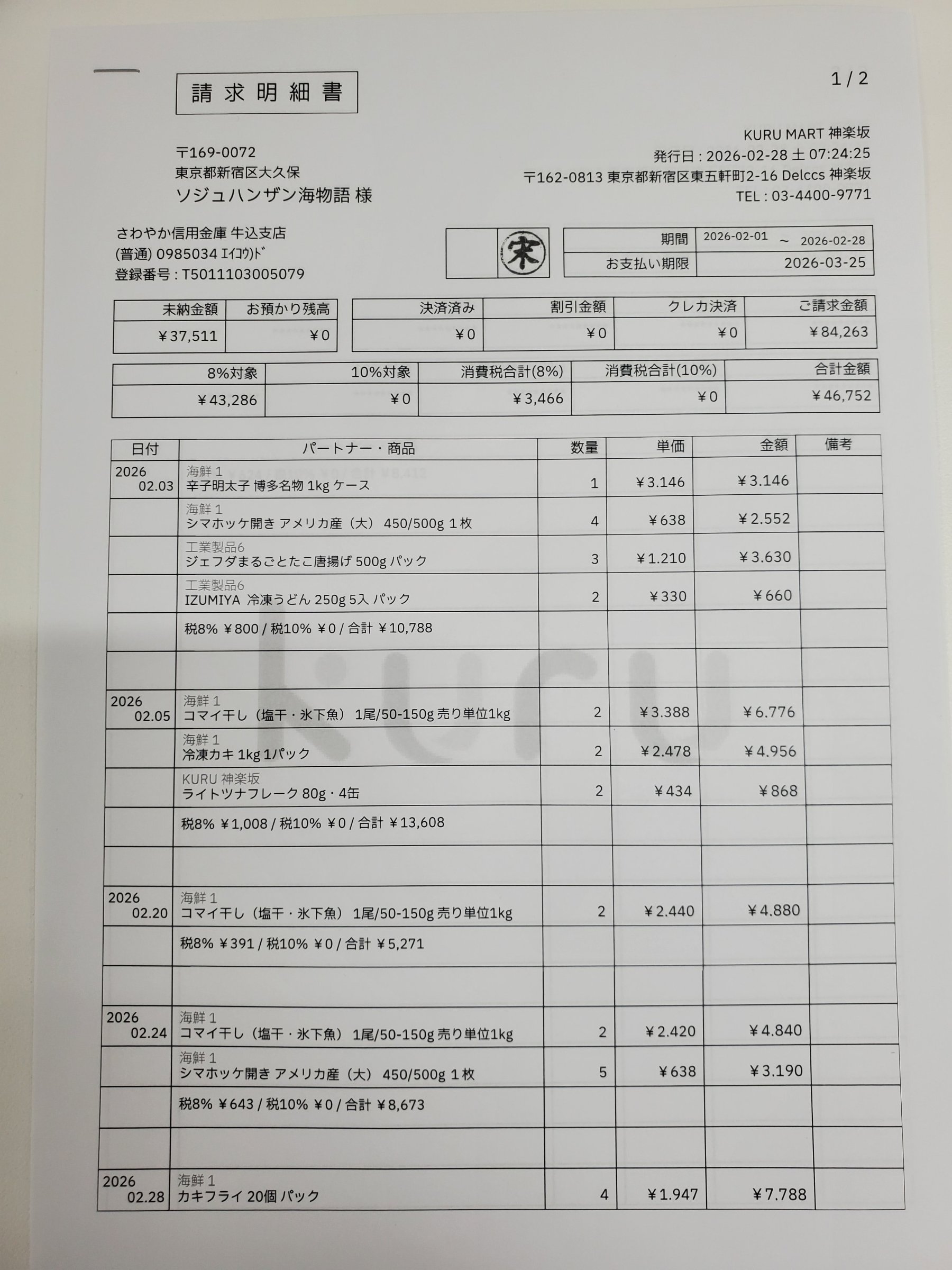
Getting structured data from invoices is a common but frustrating task. You might have a folder of scanned receipts or vendor invoices as JPEGs or PNGs, and you need to pull out the invoice number, total amount, and each line item for accounting or analysis. Most OCR tools dump a wall of text, leaving you to piece the structure back together with fragile regular expressions.
There is a more direct way: a REST API call that returns the structured JSON you need, with every value traced back to its exact location on the page. The interactive demo below shows the final result. Click any field on the left to see its position highlighted on the invoice.
Each value with a box carries a verified on-page location — in data.cells[path], that is box + 4-point quad + evidence.match_ratio — on a 0–1000 normalized grid (0,0 top-left → 1000,1000 bottom-right), the same shape the live API returns. Hover a field to trace it back to the pixels it came from.
space-ocr is not a library you install, but a plain HTTP service. The process is simple: take an invoice image, send it to the POST /ocr/fields endpoint, and define the schema you want back. You can specify fields like invoice_number, total_due, and a table of line_items with columns for description and price. The API returns that schema as data.values, and keeps the coordinates and the review signals in separate keys beside it.
The response keeps the data and the checks in separate places. data.values is your schema and nothing else — an invoice_number of "20250430-001" sits exactly where you declared it. data.cells is a flat map keyed by path, so cells["total_due"] holds that value's box and quad on the page along with a verified verdict. data.review.flagged is the short list of paths worth opening again, each with its reasons. Because the schema below declares a date and several numbers, data.normalized comes back with the parsed forms as well, while values keeps the text as it was read. The Python script below walks each of them in turn.
import os
import base64
import json
import requests

# Get your API key from an environment variable
API_KEY = os.environ.get("SPACE_OCR_API_KEY")
IMAGE_PATH = "./path/to/your/invoice.jpg" # Path to your invoice image
API_URL = "https://api.space-ocr.com/ocr/fields"

if not API_KEY:
    raise ValueError("API key not found. Set the SPACE_OCR_API_KEY environment variable.")

# Declare the schema you want back.
# 'type' adds a deterministic parse under data.normalized; 'required' and 'pattern'
# are checked after extraction and show up in the review list when they fail.
# Declarations never reach the model: they do not change the value, only the signals.
fields_schema = [
    {"name": "supplier", "type": "string", "description": "The name of the company that issued the invoice."},
    {"name": "invoice_number", "type": "string", "required": True, "pattern": "^[0-9]{8}-[0-9]{3}$"},
    {"name": "issue_date", "type": "date", "required": True},
    {"name": "total_due", "type": "number", "required": True},
    {
        "name": "line_items",
        "type": "array",
        "description": "All items listed in the invoice table.",
        "children": [
            {"name": "item_description", "type": "string"},
            {"name": "unit_price", "type": "number"},
            {"name": "quantity", "type": "integer"},
            {"name": "line_total", "type": "number"}
        ]
    }
]

# Read the image file and encode it in base64
with open(IMAGE_PATH, "rb") as image_file:
    base64_image = base64.b64encode(image_file.read()).decode("utf-8")

headers = {
    "Authorization": f"Bearer {API_KEY}",
    "Content-Type": "application/json"
}

payload = {
    "image": base64_image,
    "imageType": "base64",
    "fields": fields_schema
}

print(f"Sending request for {IMAGE_PATH}...")
response = requests.post(API_URL, headers=headers, json=payload)

if response.status_code != 200:
    # Errors use one envelope: {"error": {"code", "message", "requestId"}, "details": {...}}
    try:
        err = response.json()["error"]
        print(f"HTTP {response.status_code} {err['code']}: {err['message']} (requestId {err['requestId']})")
    except (ValueError, KeyError):
        # A body over 32MiB is cut off before the app sees it and comes back as HTML
        print(f"HTTP {response.status_code}: {response.text[:200]}")
    if response.status_code == 429:
        print(f"Rate limited - Retry-After: {response.headers.get('Retry-After')} seconds")
    # 400 invalid_image is not charged and a retry will not help; 502 is refunded and worth
    # retrying; 504 means the 180s sync ceiling was hit, so send that page on its own.
    raise SystemExit(1)

data = response.json()["data"]
values = data["values"]                  # your schema, and nothing else
cells = data["cells"]                    # flat map: path -> box / quad / verified / review / evidence
review = data["review"]                  # what is worth a second look
normalized = data.get("normalized", {})  # deterministic parse of the types you declared
image = data["image"]                    # {"width", "height"} - the frame the coordinates use

print("\n--- Extracted Invoice Data ---")
print(json.dumps(values, ensure_ascii=False, indent=2))

# 'values' keeps the text as it was read; the parsed form lives here.
# A null leaf means the parse failed - the reason sits in cells[path]["normalized"]["error"].
print("\nissue_date parsed:", normalized.get("issue_date"))
print("total_due parsed :", normalized.get("total_due"))

# The review queue: every entry carries a path and a rank-ordered reasons array.
print(f"\n{len(review['flagged'])} of {review['declared']} declared fields were flagged:")
for item in review["flagged"]:
    path = item["path"]
    reasons = item["reasons"]      # reasons[0] is the primary one
    cell = cells.get(path)         # 'missing' and 'nobox' have no cell to point at
    box = cell["box"] if cell else None
    print(f"  {path}: {reasons[0]} ({', '.join(reasons)}) box={box}")

# Where a single value came from
total = cells.get("total_due")
if total:
    print("\ntotal_due")
    print("  box     :", total["box"])       # {"xmin", "ymin", "xmax", "ymax"}, 0-1000
    print("  quad    :", total["quad"])      # four {"x", "y"} points, following the page tilt
    print("  verified:", total["verified"])  # False if flagged, True if a check ran clean, None if there was nothing to check
    print("  evidence:", total["evidence"])  # text_match, source, match_ratio, printed_text ...
    left = total["box"]["xmin"] / 1000 * image["width"]
    top = total["box"]["ymin"] / 1000 * image["height"]
    print(f"  pixels  : ({left:.0f}, {top:.0f}) on a {image['width']}x{image['height']} page")

# Line items: values holds the rows, cells is keyed by the indexed path
print("\nline_items")
for i, row in enumerate(values.get("line_items") or []):
    cell = cells.get(f"line_items[{i}].line_total")
    verified = cell["verified"] if cell else None
    print(f"  row {i}: {row.get('item_description')} x{row.get('quantity')} "
f"= {row.get('line_total')} (verified={verified})")To ensure accuracy, space-ocr doesn't just trust the language model's output. The model returns the text value plus hints about which words it used on the page. The engine then performs a character-by-character match of the extracted value against the page's actual OCR symbols. That match produces the match_ratio confidence score (where ≥ 0.85 is a high-confidence match) and the coordinates, and both land in data.cells[path]: box as the integer keys xmin, ymin, xmax, ymax, and quad as four points that follow the tilt of the page. All coordinates are normalized to a 0-1000 scale, making them independent of the original image resolution, and data.image reports the page size to convert them to pixels. The comparison itself is reported as evidence.text_match, while verified is the cell's overall verdict — it turns false whenever anything was flagged, including a rule you declared yourself.
The API is priced per call, not per field or page complexity. It costs $0.05 per image, and requests that fail to produce a result are not charged. New accounts get 100 free scans each month to start.
- Get Your API KeySign up for a free space-ocr account and find your API key in the dashboard settings. The key will start with 'spocr_'.
- Prepare Your Invoice ImageSave your invoice as a common image file, such as a JPEG or PNG. Note the file path for your script.
- Define Your Data SchemaCreate a JSON array in your Python script that defines the names and types of the fields you want to extract, including any line-item tables.
- Write the Python ScriptUsing the requests library, write a script to read the image, convert it to base64, and POST it to https://api.space-ocr.com/ocr/fields with your API key in the Authorization header.
- Run and Process the JSONExecute your script. Load `data.values` into your database, accounting software or analytics tool, and open the handful of values listed in `data.review.flagged` first.
Do I need to install an SDK or library?
Can I process PDF invoices?
What are the coordinates in the response?
How do I handle line items or tables?
What if I don't know the invoice layout beforehand?
How do I know which values to check by hand?
Start parsing invoices in minutes.
Get your API key and 100 free scans a month. No credit card required.