The best OCR software for receipts and invoices
A buyer's guide to the best OCR software for receipts and invoices: verifiable accuracy, line items, export, API, webhooks, audit trail, and transparent pricing — proven with a live demo.
Every business that handles paper handles receipts and invoices — and both are miserable to type in by hand. The promise of OCR is obvious: photograph the document, get structured data, move on. The problem is that most OCR tools stop at plausible. They hand you a vendor name and a total and leave you to trust them. For a personal expense log that is fine. For accounts payable, expense reconciliation, or anything that gets audited, "the model said so" is not an answer you can stand behind.
This guide is a buyer's checklist. It walks through what actually separates the best OCR software for receipts and invoices from a flashy demo — verifiable accuracy, line-item extraction, clean exports, a real API with webhooks, an audit trail, and pricing you can predict — and then shows how space-ocr delivers each one, with a live, checkable demo rather than a screenshot.
Proof first: see a real extraction you can check
Before any feature list, here is the thing most vendors won't show you: an extraction where every value points back to the exact spot on the page it came from. Hover any field below — the box on the receipt is where that value was read.
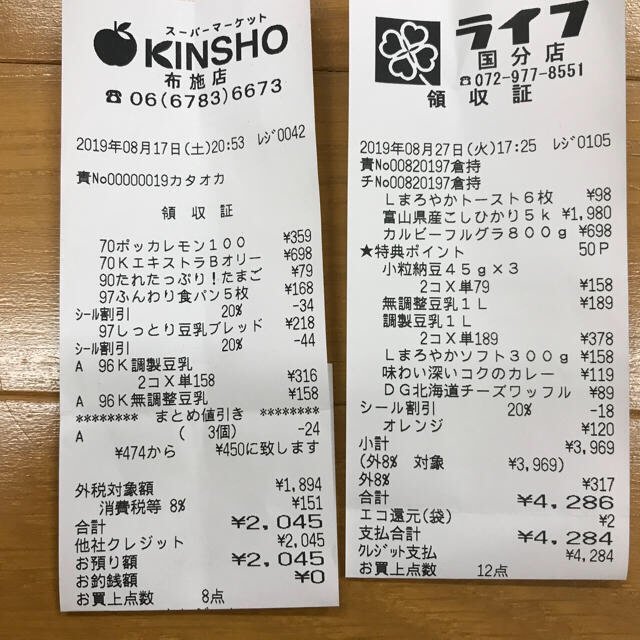
Every value carries a verified on-page location — bbox + 4-point vertices + match_ratio — on a 0–1000 normalized grid (0,0 top-left → 1000,1000 bottom-right), the same shape the live API returns. Hover a field to trace it back to the pixels it came from.
What to look for in receipt and invoice OCR
Receipts and invoices are the hardest "easy" documents. Layouts vary by vendor, totals hide among subtotals and tax lines, line items wrap, and a phone photo arrives tilted and glare-streaked. A tool that nails one clean PDF can fall apart on the next crumpled thermal receipt. Use these criteria to cut through the marketing.
| What matters | Why it matters | Weak tool | Strong tool |
|---|---|---|---|
| Verifiable accuracy | A number you can't trace is a number you have to re-key anyway | Returns a value, maybe a confidence score | Returns each value with its on-page location you can jump to |
| Line items | Invoices and receipts are tables, not flat fields | Grabs the total, drops the rows | Extracts repeating line-item rows with per-cell positions |
| Export | Data has to leave the tool to be useful | Copy-paste or locked-in viewer | CSV (Excel/CJK-safe) and JSON over an API |
| API + webhooks | Real volume means automation, not clicking | UI-only, or a thin sync endpoint | REST API with async jobs and signed webhooks |
| Audit trail | Reviewers need to see what changed | Overwrites OCR output silently | Keeps the original value beside human edits |
| Transparent pricing | Budgeting hates surprises | "Contact us" for everything | A published per-image price and a free tier |
The rest of this article takes each row in turn.
Verifiable accuracy beats a confidence score
A confidence score tells you the model feels sure. It doesn't tell you whether total: 2,045 is the number actually printed on the receipt. space-ocr answers a stricter question by returning, alongside every value:
bbox— an axis-aligned rectangle{ xmin, ymin, xmax, ymax }on a 0–1000 normalized grid (0,0 = top-left, 1000,1000 = bottom-right), independent of the image's pixel size.vertices— four ordered points forming an oriented box that follows the document's tilt, so a skewed phone photo still boxes cleanly.match_ratio— the fraction of the value's characters that were actually located on the page (0–1). A field is treated as confidently matched at ≥ 0.85;1.0means every character was found.
Because the location travels with the value, you can render the box, cite the coordinates, or re-check a flagged field without re-running OCR. That's the foundation of the OCR audit trail — and it's why the demo above isn't a mockup.
The model never invents the coordinates. The language model returns each field value plus the IDs of the words it used — it does not return bounding boxes. The engine then looks those word tokens up in the underlying vision OCR and unions their boxes. Models can hallucinate text; they cannot hallucinate a position the vision layer never detected. A value that isn't really on the page has nowhere to anchor.
Line items, not just totals
The single biggest gap in cheap receipt OCR is the table. Anyone can grab a grand total; the value is in the rows — each product, quantity, unit price, and discount. space-ocr extracts these as repeating rows, and every cell keeps its own position, so a wrapped or merged line item is still traceable.
You request them with a field of type: "array" whose children describe one row. For deeper coverage of the row model, see extracting line items from invoices.
{
  "fields": [
    { "name": "vendor", "type": "string" },
    { "name": "invoice_date", "type": "string" },
    { "name": "total", "type": "string" },
    {
      "name": "line_items",
      "type": "array",
      "children": [
        { "name": "description", "type": "string" },
        { "name": "quantity", "type": "number" },
        { "name": "unit_price", "type": "number" }
      ]
    }
  ]
}
Built-in templates: skip the schema
You don't have to hand-write a field spec for the common cases. space-ocr ships predefined templates you apply with a single templateId — including receipt and invoice, plus business cards, quotes, purchase orders, delivery notes, and several ID documents. The template supplies the field set and prompt for you; if you also pass your own fields, those win.
The whole call is one HTTP request — no SDK, no PDF preprocessing (the engine takes raster images: JPEG, PNG, GIF, BMP, TIFF, WebP).
curl -s https://api.space-ocr.com/ocr/fields \
  -H "Authorization: Bearer $SPACE_OCR_API_KEY" \
  -H "Content-Type: application/json" \
  -d '{
    "image": "https://example.com/invoice.jpg",
    "imageType": "url",
    "templateId": "invoice"
  }'
Export and the API: where the data goes
Extraction is worthless if the data is trapped. space-ocr gives you two clean exits:
- CSV — sheets export with a UTF-8 BOM so Excel opens Japanese, Korean, and Chinese text correctly. Array (line-item) rows unfold into sub-rows, and any manual correction overrides the OCR value in the output.
- JSON over REST —
POST /ocr/fieldsfor a single document,POST /uploadto push images straight into a sheet, andGET /viewto query a stored sheet server-side (where,sort,select,limit) without re-running OCR or paying again.
For automation at volume, /upload is async by default: it returns a job per file and notifies you on completion via webhooks — one signed (HMAC-SHA256) endpoint per space, with events like ocr.completed and ocr.failed. That's the difference between a tool you click and a pipeline that runs itself. The full surface is in the invoice data extraction API guide and the API docs.
Audit trail: what the machine read vs. what a human changed
The best receipt and invoice OCR doesn't just record its own output — it records corrections. When you edit a cell in space-ocr, your value is stored separately from the original OCR value, and an Original tooltip always shows what the engine first read. A reviewer sees the machine value and the human override side by side, which is exactly what an audit asks for.
Transparent, predictable pricing
Verifiable accuracy and an honest price tend to come from the same place. space-ocr is ¥10 per image (about $0.05). There's a free tier of 100 scans a month with no credit card, and Pro at $39/month includes 1,100 scans, team sharing, and 100 GB of storage. Higher volume is handled on the Business plan by contact. No per-field charges, no per-page surcharge, and queries against a stored sheet (GET /view) are free.
How to extract a receipt or invoice
- Send the imagePOST the receipt or invoice to /ocr/fields with imageType 'url' or 'base64'. The engine accepts raster images (JPEG, PNG, GIF, BMP, TIFF, WebP).
- Apply a template or fieldsPass templateId 'receipt' or 'invoice' to use the built-in schema, or supply your own fields — including an array field with children for line items.
- Read the structured resultEach value returns with its bbox, vertices, match_ratio, and bbox_source, plus a field_bboxes map locating every field on the page.
- Verify and correctClick any cell to highlight the exact region it was read from; a match_ratio below 0.85 flags a value worth a closer look. Edits are stored beside the original value.
- Export or queryDownload CSV (UTF-8 BOM, line items unfolded) or query a stored sheet with GET /view using where, sort, and select — no re-OCR, no extra charge.
What is the best OCR software for receipts and invoices?
Can OCR extract line items from a receipt or invoice, not just the total?
Does receipt and invoice OCR work on phone photos?
How much does receipt and invoice OCR cost?
Can I automate receipt and invoice processing at volume?
Try the best OCR for your own receipts and invoices
Free tier — 100 scans a month, no credit card. Every value comes back with its on-page location.