Document OCR with an audit trail
Most OCR hands you text you have to trust. space-ocr returns every value with a verified on-page location — bounding box, vertices, and a match ratio — so any field can be traced back to the pixels it came from.
Extracting data from a document is easy to demo and hard to trust. A model reads an invoice, returns total: 2,045, and you are left with a question no confidence score really answers: is that the number actually printed on the page, or something the model produced? For a one-off lookup that is fine. For accounting, claims processing, compliance, or anything you will be audited on, "trust the model" is not a control.
An audit trail fixes that. Instead of a bare value, every field comes back with a verified on-page location — so a person (or another system) can jump straight to the exact pixels a value was read from and confirm it. That is the difference between an answer and an answer you can defend.
See it: every value traces back to the source
Hover any field below. The box on the receipt is where that value was read from — and each field carries its own match ratio.
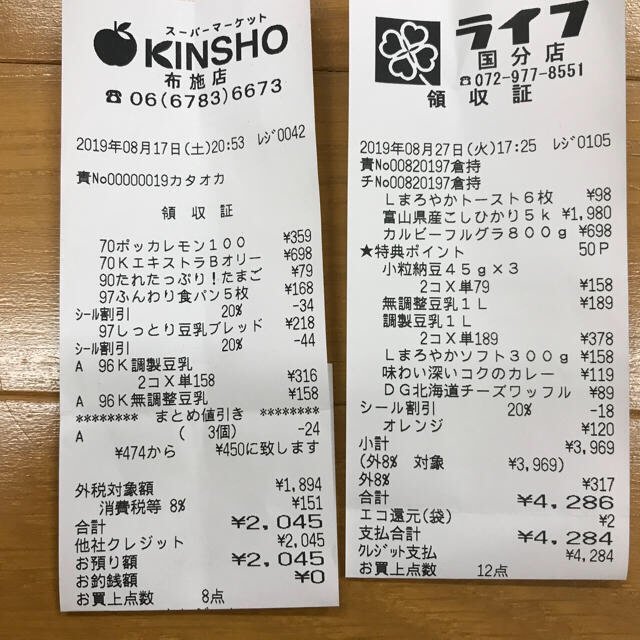
Every value carries a verified on-page location — bbox + 4-point vertices + match_ratio — on a 0–1000 normalized grid (0,0 top-left → 1000,1000 bottom-right), the same shape the live API returns. Hover a field to trace it back to the pixels it came from.
What "verified location" actually means
space-ocr returns three things alongside every extracted value:
bbox— an axis-aligned rectangle{ xmin, ymin, xmax, ymax }on a 0–1000 normalized grid (0,0 = top-left, 1000,1000 = bottom-right), independent of the image's pixel size.vertices— four ordered points{x, y}(top-left → top-right → bottom-right → bottom-left) forming an oriented box that follows the document's tilt, so rotated phone photos still box cleanly.match_ratio— the fraction of the value's characters that were actually located on the page (0–1). A field is treated as confidently matched at ≥ 0.85;1.0means every character was found.
Because the location travels with the value, the result is not a black box. You can render the box, cite the coordinates, or re-check a flagged field without re-running OCR.
The model never invents the coordinates. The language model returns the field value plus the IDs of the words it used — it does not return bounding boxes. The engine then looks those word tokens up in the underlying vision OCR and unions their boxes. Models can hallucinate text; they cannot hallucinate a position that the vision layer didn't detect. A value that isn't really on the page has nowhere to anchor.
Click a value, land on the pixels
In the app this becomes an interaction: click any cell and the source image highlights the exact box the value came from, with a zoomed crop and a connecting line. It is the fastest way to spot-check a batch — your eye goes straight to the spot instead of scanning the whole document.
Corrections are auditable too
An audit trail is not only about the machine's output — it is about what humans changed. When you edit a cell, space-ocr stores your correction separately from the original OCR value. An Original tooltip always shows what the engine first read, so a reviewer can see both the machine value and the human override side by side.
It's in the API, on every value
This isn't a UI-only feature. POST /ocr/fields returns the same bbox, vertices, match_ratio, and bbox_source on every extracted value, with a field_bboxes map giving coordinates per field. When you query a stored sheet with GET /view, the boxes ride along by default — add boxes=0 only when you want a leaner payload.
{
  "status": "success",
  "data": {
    "total": "2,045",
    "field_bboxes": {
      "total": {
        "bbox": { "xmin": 595, "ymin": 974, "xmax": 781, "ymax": 1000 },
        "vertices": [
          { "x": 594, "y": 975 }, { "x": 781, "y": 972 },
          { "x": 781, "y": 998 }, { "x": 595, "y": 1000 }
        ],
        "match_ratio": 1.0,
        "bbox_source": "token_id"
      }
    }
  }
}
bbox_source tells you how a coordinate was derived — token_id is the deterministic word-token lookup (match ratio 1.0), vision_symbol_match a high-confidence character match, and so on. It is metadata you can log, filter on, or surface to reviewers.
How to verify a value in practice
- Open the extracted resultOpen the sheet or call GET /view — each value carries its bbox, vertices, and match_ratio.
- Click the valueClick the cell to highlight the exact region on the original image it was read from.
- Check the match ratioA match_ratio of 1.0 means every character was located; below 0.85 flags a value worth a closer look.
- Correct if neededEdit the cell to override it — the original OCR value is preserved under the Original tooltip for the audit trail.
What is an OCR audit trail?
Can the AI hallucinate the bounding boxes?
Are coordinates returned in pixels?
Does verification cost extra or re-run OCR?
Try it on your own document
Free tier — 100 scans a month, no credit card. Every value comes back with its on-page location.